

The best starting point for Zeekr 001 interior accessories in the UAE is the cabin’s 15.4-inch centre screen: a well-fitted screen protector can help guard it against fingerprints, residue and scratches. For everyday comfort, consider supportive headrest or lumbar accessories, then choose cabin upgrades that suit your driving routine. Protection, comfort and thoughtful fit matter most.
That focus makes sense in the UAE, where strong sun, heat, dust and frequent mall parking can shape how you use and care for your car. The right accessories should complement the Zeekr 001’s modern cabin, not clutter it.
Here’s what to consider, from screen protection to comfort and practical interior details, with fit and local driving conditions in mind. You’ll have a clearer way to prioritise upgrades that make the cabin feel more personal and easier to live with.
Key Takeaways
- Choose screen protection around the display you want to cover, and consider how coating and material affect everyday cleaning and visibility.
- Headrest and lumbar supports can add comfort when positioned to suit your posture and the seat’s contours.
- For UAE sun and dust, prioritise cabin upgrades that address your actual routine, from windshield shade to keeping small items organised.
- Check that an accessory is designed for the Zeekr 001 and matches your vehicle’s interior layout before choosing it.
- Explore the different accessory categories to build a cabin setup around protection, comfort and a clean, cohesive look.
Dashboard and navigation screen protectors
The UAE Zeekr 001 features a 15.4-inch centre screen, making its surface a prominent part of the cockpit. A protector designed for the 2024 navigation screen can help guard against fingerprints, oil marks, residue, scratches and stains. In a cabin used daily for commutes and mall trips, keeping the display easier to wipe clean can make a practical difference.
Material and fit both matter. The 2024 navigation-screen protector is described as tempered glass, with a waterproof coating intended to minimise water stains. Its product description also notes a possible 1-2 cm manual-measurement error. Treat that as a measurement caution, not proof that any similarly sized protector will fit.
For a closer look at the Zeekr 001 cabin, watch this driving overview:
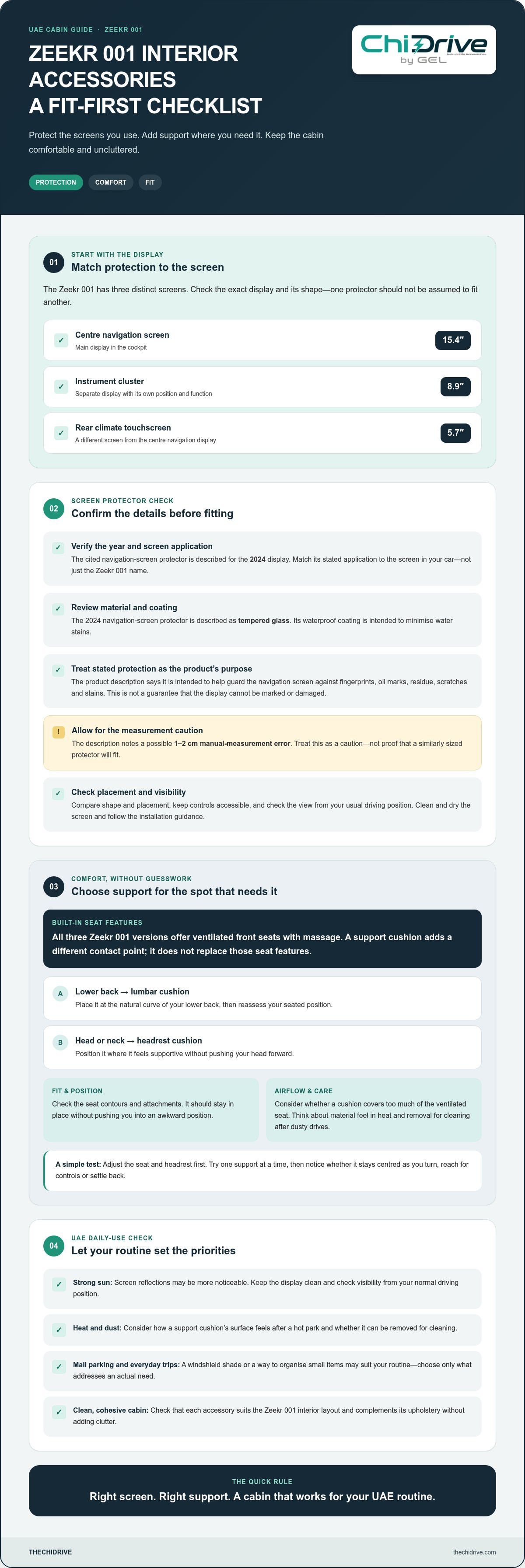
Before choosing a screen protector, match the accessory to the exact display area rather than relying on the vehicle name alone. The 15.4-inch centre screen is the main navigation display; the Zeekr 001 also has an 8.9-inch instrument cluster and a 5.7-inch rear climate touchscreen. These are distinct screens with different positions and functions, so a protector for one shouldn’t be assumed to suit another.
A simple fit check helps you avoid covering controls or leaving edges exposed. Compare the protector’s stated screen application with the display in your car, then check the shape and placement before installation. If the protector requires manual measurement, measure the intended surface carefully and account for the stated 1-2 cm potential measurement error.
- Choose the right display: Identify whether you’re protecting the 15.4-inch centre screen, the 8.9-inch cluster or the 5.7-inch rear touchscreen.
- Review the material: Tempered glass is specified for the 2024 navigation-screen protector.
- Consider the coating: Its waterproof coating is intended to minimise water stains, while the protector is described as helping prevent fingerprints and scratches.
Bright UAE sunlight can make reflections on the display more noticeable. Keep the screen clean and assess visibility from your usual driving position. A screen accessory should preserve access to touch controls and leave navigation and climate settings easy to use.
For a coordinated starting point, the Zeekr accessories collection brings model-specific options together. Prioritise the screen you use most, then consider whether another display needs its own correctly shaped protection.
The product description states that the screen protector is intended to prevent oil stains, fingerprints, residue, scratches and stains on the navigation screen. Treat this as the product’s stated purpose rather than a guarantee that the display cannot be marked or damaged. Before fitting, make sure the screen is clean and dry, and follow the product’s installation guidance so trapped residue is less likely to affect the finish. After application, check that the protector sits evenly and that the display remains comfortable to view and operate. Gentle cleaning and care can help keep the screen presentable, while choosing protection for the correct display remains important. If the fit is uncertain, verify it before removing any backing or applying the protector.
Headrest and lumbar support
The Zeekr 001 already brings substantial seat comfort to UAE journeys: all three versions offer ventilated front seats with massage. A headrest or lumbar support accessory serves a different purpose. It adds a contact point where you want support, which can make the seat feel better suited to your driving position during daily commutes or longer trips between emirates.
Start with your current seat setup. Adjust the Zeekr 001 seat and headrest first, then note where your back or neck lacks contact. A lumbar cushion is intended for the lower back; a headrest cushion sits behind the head or neck. Choose the type that addresses the gap you notice, rather than adding both automatically.
Fit matters more than a plush appearance. A support cushion should sit in the area you want supported without pushing you into an awkward position. Check how it rests against the Zeekr 001 seat, whether its straps or attachments suit the seat shape, and whether it stays in place as you enter, exit, or adjust the seat.
- For lower-back support: Position a lumbar cushion at the natural curve of your lower back, then reassess your seated position.
- For head and neck comfort: Place a headrest cushion where it feels supportive without forcing your head forward.
- For a balanced setup: Test one support at a time before combining headrest and lumbar accessories.
- For a tidy cabin: Choose a finish that works with the Zeekr 001 upholstery and doesn’t look out of place.
In the UAE, consider how cabin heat and dust may affect your choice of materials. After a car has been parked in direct summer sun, a cushion’s surface may feel different. Consider how its fabric feels against your clothes and whether it can be removed for cleaning after dusty drives.
The Zeekr 001’s ventilated front seats provide airflow through the seating surface. Keep that function in mind when choosing a cushion: a thick or broad accessory may cover more of the seat than intended. Select a shape that supports the area you need while leaving the seat’s main surface as accessible as possible.
Before choosing a support cushion, sit in your usual driving position and try it on a short drive. Notice whether it stays centred as you turn, reach for the controls or settle back into the seat. If it shifts during ordinary movement, it may distract from the comfort you wanted.
For a considered cabin setup, explore the Zeekr accessories collection alongside your seat-comfort priorities. The right choice should complement the built-in massage and ventilation, fit the seat naturally, and suit the way you use your 001 across the UAE.
Interior accessories and upgrades
For a UAE Zeekr 001, useful cabin upgrades should protect high-touch surfaces, manage sun exposure, or keep small items organised. Start with the area you want to improve, then match the accessory to its intended location and your car’s interior layout.
Do aftermarket interior accessories affect the Zeekr 001 warranty in the UAE? Warranty coverage depends on the relevant terms and the issue being assessed; an accessory’s presence alone doesn’t establish whether a repair is covered. The connection between the accessory, its installation and the fault matters.
Whether a Zeekr dealer installs an interior accessory depends on whether the dealer offers fitting for that item. The cost depends on the work involved, including the fitting steps and labour, and whether trim removal or electrical connections are needed.
What screen protectors and interior trim accessories fit the Zeekr 001? A protector should match the specific display it covers, while trim accessories must match the corresponding cabin part. The 2024 navigation-screen protector is described as tempered glass, and a silicone frame cover is listed for the ZEEKR centre display.
The Zeekr 001 has several screens, so avoid treating “screen protector” as a single universal fit. Its UAE cockpit includes a 15.4-inch centre screen, an 8.9-inch instrument cluster and a 5.7-inch rear touchscreen for climate settings. Check which display a product is designed to cover before choosing it.
- Display frame: A silicone frame cover can add a layer around the centre display without replacing the screen itself.
- Windshield shade: A sunshade for the Zeekr or Geely range can help limit direct sunlight entering through the windshield while parked.
- Storage tray: An organiser keeps small cabin items together, but its shape and location should correspond to the intended console.
For a tidy setup, consider how each accessory works alongside nearby controls. A display frame cover should leave the screen usable, and a storage tray should not obstruct access to the console. A windshield shade can be useful when parked outdoors in the UAE summer, while wipe-clean surfaces may be easier to maintain after dusty drives.
Before fitting a trim piece, compare its shape with the target area in your Zeekr 001. Follow the product’s installation directions, keep adhesive surfaces clean, and avoid forcing a part into place. If an accessory requires wiring or panel removal, those steps affect installation complexity and deserve more care than a simple removable organiser.
Any complex additions, such as integrated electronics or custom trim pieces, should be handled carefully, with the fitting directions followed and any uncertain work checked before installation. Other listed cabin accessories available through providers like TheChiDrive address floor coverage, belt-buckle protection, phone placement and key protection. The Zeekr X all-weather TPE floor mats protect the full floor areas of the front and rear seating areas, so confirm compatibility before selecting mats for a Zeekr 001.
Zeekr 001 accessories
Choose accessories by cabin location and intended use, from screen protection to cargo organisation. For the UAE Zeekr 001, exact fit matters as much as the accessory category.
Interior accessory availability
Zeekr 001 accessory options include display protection, a windshield sunshade, key and NFC-card covers, and cabin storage accessories. The right choice depends on the surface or item you want to protect. A screen protector suits a display, while a key cover protects the key or card exterior. Match each item to its stated Zeekr application.
A windshield shade is worth considering if you often park outdoors in the UAE sun. Choose other accessories around your everyday needs, such as handling keys, carrying small items or keeping screens and touchpoints tidy. Don’t rely on the Zeekr name alone: check the specified model and where the accessory is intended to fit.
Floor mats, boot liners, and cargo organizers
Are Zeekr 001 floor mats, boot liners, and cargo organizers available in the UAE? Cargo options for the 001 include an elastic cargo net and a side trunk organizer partition. These help secure or separate items in the load area. Mats and boot liners need their own model-specific fit; a Zeekr X mat, for example, shouldn’t be assumed to fit the 001.
The Zeekr 001’s trunk can expand to 2144 litres, so consider how you use that space. A cargo net suits items that need restraint, while a side partition keeps selected objects separate. Before choosing, think about whether you regularly carry groceries, travel bags, or loose items that shift during drives.
Model-year and trim compatibility
Are Zeekr 001 accessories compatible across model years and trims? Some accessories name a specific model year or several vehicle models, so compatibility isn’t universal. Check the product’s stated application against your 001’s year, trim, and the exact cabin area before purchasing.
Check fitment carefully for shaped accessories such as mats, screen covers and console organisers. Compare the stated position with your vehicle, and make sure the item will not block controls, storage access or seat movement. A cargo net or key cover has different fitment requirements from a fixed trim piece.
Use this simple sequence to choose accessories that suit your needs:
- Identify the location: cabin, display, key, or cargo area.
- Match the application: Zeekr 001, model year, and trim where specified.
- Consider daily use: UAE sun, dusty journeys, mall parking, or regular luggage.
- Check access: controls, screens, storage compartments, and load space must remain usable.
That approach keeps each upgrade purposeful. A well-matched cargo organiser can make everyday loading more orderly, while correctly specified cabin accessories preserve the Zeekr 001’s clean, technology-led feel.
What interior accessories are available for the Zeekr 001 in the UAE?
For UAE Zeekr 001 owners, interior upgrades span screen protection, comfort, sun management and everyday organisation. The useful choice depends on what you want to protect or improve, and whether the accessory is designed for the 001.
For the cockpit, options include a tempered-glass navigation-screen protector and a silicone frame cover for the centre display. A windshield sunshade can help limit direct sunlight entering while the vehicle is parked. These accessories protect or cover different areas, so match each one to its intended position.
Comfort accessories include headrest and lumbar supports. They add support at different points: a headrest accessory sits near the head or neck, while lumbar support is positioned behind the lower back. The 001’s front seats already offer ventilation and massage across all three UAE versions, so consider how a cushion may cover the seat surface.
For everyday personal items, a Zeekr key fob and NFC card cover is one option; a suede key and NFC card protector offers a different surface feel. In the load area, an elastic cargo net or side trunk organiser partition can help keep loose belongings organised.
- For the cockpit: Consider a screen protector or centre-display frame cover.
- For parked-car sun: Look at a windshield sunshade suited to the Zeekr application.
- For seating comfort: Choose between headrest and lumbar support based on your posture.
- For daily handling: Consider a key fob or NFC card cover.
- For cargo organisation: Compare a cargo net with a side partition based on what you carry.
Fitment deserves particular attention. The 001’s 15.4-inch centre screen, 8.9-inch instrument cluster and 5.7-inch rear climate touchscreen are separate displays. A protector designed for one should not be assumed to fit another. Likewise, a Zeekr X accessory isn’t automatically suitable for the 001, even if the listing names both models.
Let your driving habits guide your priorities. A windshield shade may suit frequent outdoor parking, while a cargo organiser can help with grocery bags or travel belongings. Removable, easy-to-clean accessories can also be practical after dusty journeys. Before choosing, check the stated model fit and intended location.
Start with one clear need, then add compatible accessories that keep controls and storage accessible. For a model-focused starting point, browse TheChiDrive’s Zeekr accessories collection for Zeekr 001 interior accessories UAE.
TheChiDrive: Jetour Accessories
TheChiDrive offers Zeekr accessories for owners looking to personalise their vehicle with model-focused additions. For a Zeekr 001, use your priorities around cabin style and everyday practicality to guide your next choice.
Keep the vehicle and intended use in mind as you browse. A considered selection can complement the 001’s cabin without adding accessories that don’t suit your routine.
Browse ChiDrive’s Zeekr accessories collection to explore options for your vehicle.
Shape a Cabin That Feels Like Yours
Your Zeekr 001 should feel tailored to the way you use it, from everyday errands to longer drives across the UAE. Choosing Zeekr 001 interior accessories in the UAE is a chance to shape the cabin around your routine. Start with one priority, then build a considered setup that feels cohesive and personal.
Small choices can change the character of a cabin. Choose accessories that suit your style and leave the Zeekr 001’s controls and features easy to use.
Explore the Zeekr accessories collection
Make your next drive feel a little more like your own.
Frequently Asked Questions
What should UAE buyers check for when choosing Zeekr 001 interior accessories?
Check the accessory’s exact model application, intended cabin location, and fit with your Zeekr 001’s year and trim. For Zeekr 001 interior accessories in the UAE, a broad “Zeekr” label alone doesn’t establish suitability. Consider whether materials feel comfortable after sun exposure and are easy to clean after dusty journeys. Before choosing an organiser or cover, make sure it won’t obstruct normal access to controls or storage.


